
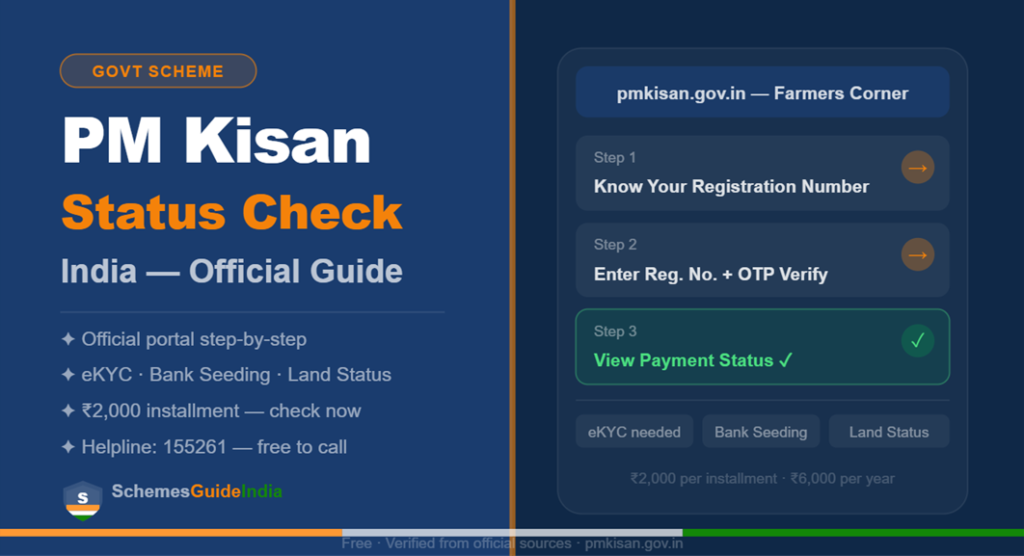
If your PM Kisan installment has not arrived, this guide helps you find out why in under 5 minutes — using only the official government portal, no middleman needed.
Who is This For?
This guide is for all registered farmers across India who are waiting for their ₹2,000 quarterly payment. If your installment shows “Pending” or has not arrived in your bank account, these steps will help you find the exact reason and fix it.
2026 Payment & Installment Timeline
To check your status correctly, you need to know which installment you are expecting:
| Installment | Period | Release Date |
|---|---|---|
| 22nd Installment | Dec 2025 – Mar 2026 | March 13, 2026 (Released) |
| 23rd Installment | Apr 2026 – Jul 2026 | June/July 2026 (Expected) |
| 24th Installment | Aug 2026 – Nov 2026 | October 2026 (Expected) |
Under the Pradhan Mantri Kisan Samman Nidhi scheme, eligible farming families receive ₹6,000 per year in three installments of ₹2,000 each. The 22nd installment was released on March 13, 2026 for over 9 crore farmers.
Step-by-Step PM Kisan Status Check (2026)
Follow these steps on the official portal to see your full payment history:
- Visit the Portal: Go to pmkisan.gov.in and click on “Farmers Corner” in the top menu.
- Click Know Your Status: Select the “Know Your Status” button. If you do not have your Registration Number, click “Know Your Registration Number” and enter your Aadhaar number to retrieve it.
- Enter Your Details: Input your Registration Number and the Captcha code shown on screen.
- Get OTP: Click “Get OTP” — a code will be sent to your Aadhaar-linked mobile number.
- View Your Status: After entering the OTP, your full payment history appears — including your eKYC status, Land Seeding status, and Bank Seeding status.
All three must show green or “Yes” for your installment to be released without delay.
Quick Tip: If the portal is slow, download the official PMKISAN GoI App from the Play Store. In 2026, the app supports face-authentication — useful for elderly farmers who find OTPs difficult.
Common Reasons Your Payment Shows “Pending”
- eKYC Not Completed: This is the number one reason for blocked payments in 2026. If your eKYC status shows “Pending,” complete it immediately using the eKYC link in the Farmers Corner. It takes under 2 minutes.
- Aadhaar Not Seeded to Bank Account: Your bank account must be linked to your Aadhaar through NPCI for Direct Benefit Transfer to work. Visit your bank branch and ask for “NPCI Aadhaar Seeding” for DBT payments.
- Land Records Not Verified: If your status shows “Land Seeding: No,” visit your local Patwari or Tehsildar with your land documents to get this resolved.
Tips for Uninterrupted Payments
Make sure your “Land Seeding” shows a green “Yes” in your status report. Without this, even a completed eKYC will not guarantee payment. Confirm your Aadhaar Bank Linking is active — without NPCI seeding, the DBT transfer will fail even if your status is approved. If there is a name mismatch, perform a PAN Card Correction Online or verify your Voter ID Status as address proof.
The Face-Auth Shortcut for Elderly Farmers
In 2026, the PMKISAN App allows you to complete eKYC and check your status using face-authentication — no fingerprints or OTPs needed. Open the app, tap “Know Your Status,” and use face auth to see your payment history instantly.
Safety & Security Guidelines
The Department of Agriculture & Farmers Welfare manages the PM Kisan portal. This service is completely free. Never pay anyone at a cyber cafe, via WhatsApp, or over the phone to “unblock” your installment. These are scams. Always use the official pmkisan.gov.in website directly. The government will never ask for your Aadhaar OTP or bank details over the phone.
Internal Resources for Farmers
- Check your Aadhaar Bank Linking India to verify your DBT account is active.
- Perform a PAN Card Correction Online India if there is a name mismatch in your records.
- Verify your Voter ID Status Check India for address proof if needed by local officers.
Frequently Asked Questions
How do I check PM Kisan status by mobile number? On the “Know Your Status” page, click “Know Your Registration Number.” Enter your registered mobile number to retrieve your Registration ID, then use that ID to view your full payment details.
What should I do if my status says “Rejected by Bank”? This usually means your bank account is inactive or not seeded with Aadhaar. Visit your bank branch and ask them to activate NPCI Aadhaar Seeding for DBT payments.
Is eKYC mandatory for the 23rd installment? Yes. eKYC is mandatory in 2026. If it shows “Pending” in your status, your ₹2,000 will not be released until it is completed.
How do I contact the PM Kisan helpline? Call the official toll-free helpline: 155261 or 011-24300606 for status-related queries and grievances.
Conclusion
Checking your PM Kisan status takes less than 5 minutes on the official portal. If your payment is delayed, the reason is almost always one of three things — eKYC incomplete, Aadhaar not seeded to your bank account, or land records pending. All three can be checked and resolved through the official portal or your nearest bank branch.
Never pay anyone to check or unblock your PM Kisan status. The service is completely free on pmkisan.gov.in.